 Void
Void
Void
Void
Void wraps your GPG-encrypted password store in a stunning, fluid Material Design 3 interface. Engineered for efficiency with search overlays, clipboard auto-purge, and instant password generation.
A native-feeling, elegant experience that doesn't compromise on cryptographic safety.
Toggle a floating panel at any time using a global shortcut to search and copy passwords, usernames, or TOTP codes without opening the full window.
Press the global hotkey to pop up a compact random generator, press Space to re-roll and generate new strings, and hit Enter to copy and automatically close.
Stream volatile text or binary data directly from memory via end-to-end encrypted WebRTC channels. Set customizable download limits and time-to-live restrictions with zero server persistence.
Void configures OS level content protection parameters preventing any screenshots, video recordings, or screen-sharing apps from capturing visible secrets.
Enable auto git sync in settings to automatically compile, commit, push, and pull secrets to/from remote stores on changes.
Record keyboard combinations interactively within settings to completely customize dashboard startup, local copies, and global overlays.
Buttery smooth themes that adapt to system defaults, offering both light and dark profiles paired with harmonious Material accents.
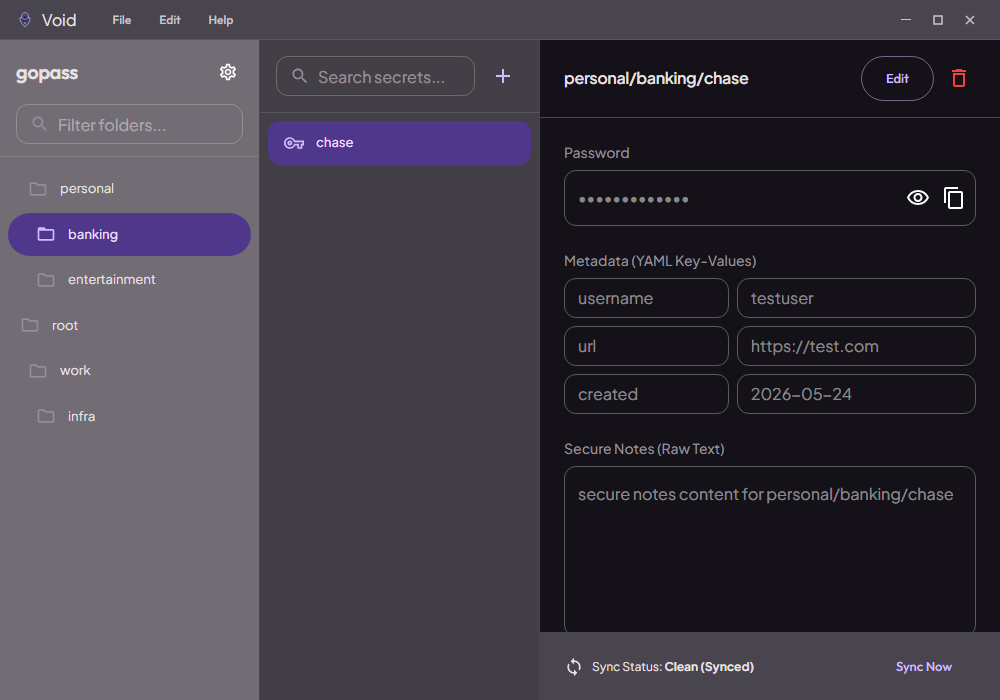
Explore the clean, modern Material Design 3 interface tailored for ultimate productivity.
A full three-pane dashboard layout. Easily navigate your secret folders on the left, filter and select items in the middle, and view/edit details, key-value metadata, or copy/reveal credentials on the right.
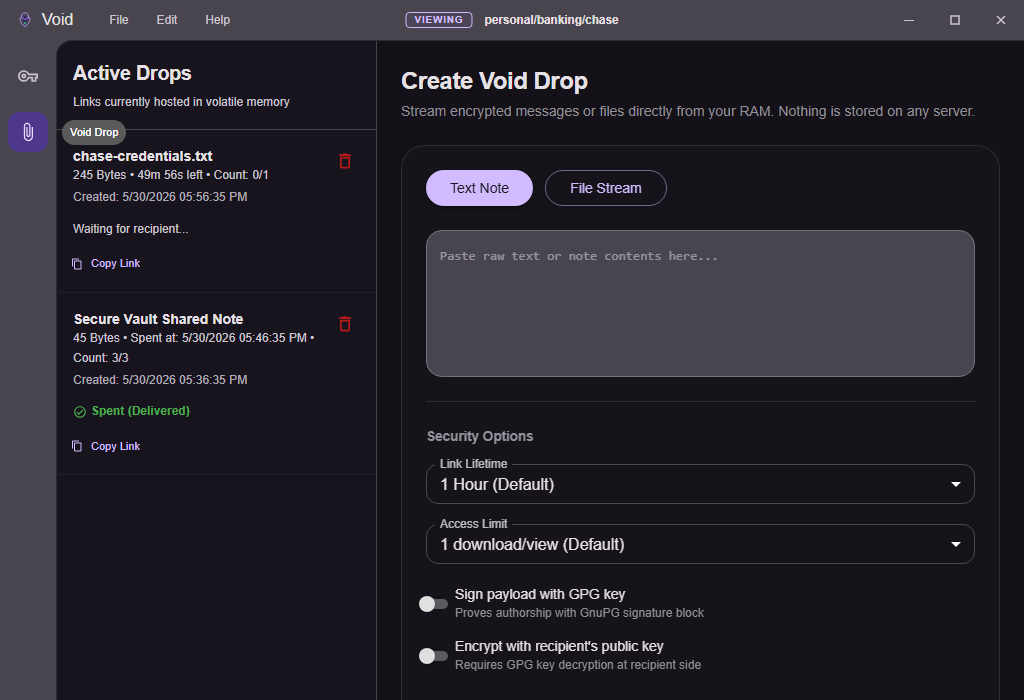
Share text or files securely using peer-to-peer WebRTC connections. Set download limits, GPG signatures, and custom expiry durations. Active drops are listed dynamically, showing live connected counts and remaining lifespans, leaving zero trace on external servers.
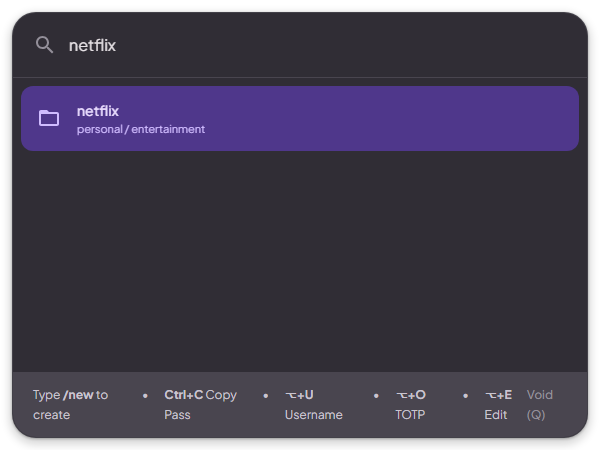
Invoke a search bar overlay globally with Ctrl+Shift+P. Perform fuzzy searches across all GPG keys, copy passwords instantly, and copy usernames or TOTP codes directly with quick shortcuts.
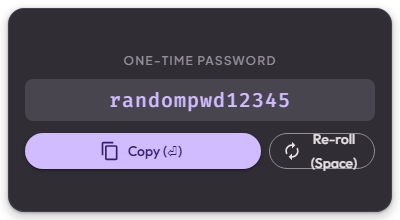
Generate highly secure cryptographically random passwords via Ctrl+Shift+G. Hit Space to re-roll settings and Enter to copy and dismiss instantly. Custom bounds ensure no text overflow.
Void is available for all major platforms. Make sure you have the gopass CLI installed beforehand.
Use Homebrew to install the gopass core wrapper dependency, then grab the Void installer:
Void automatically resolves your system's gopass environment variables and parses your local GPG configurations.
Select the version that matches your Mac's processor:
Install the gopass CLI via Winget or Scoop, then download the Windows executable:
Windows builds support native tray minimizations, background hotkeys, and content-protection overlays.
Install gopass from your distribution packages, then fetch the AppImage or Debian package:
Supports AppImage portability and native window shortcuts across GNOME, KDE, and other desktop environments.
Void wraps the standard gopass GPG-encrypted datastore located in ~/.local/share/gopass/stores (or your custom directory). Any change you make inside Void translates directly into CLI actions on your disk store.
If your gopass store is paired with a remote Git repository (e.g. GitHub or self-hosted GitLab), toggle Auto Git Sync on changes inside Help > Settings. Void will trigger git commits, pushes, and pulls automatically after insertions or deletions.
Void supports key-value metadata rows. In the secret details editor, click Add Row, type your key (e.g. username, url, pin), and fill in the value. These values are saved inline inside the encrypted secret file.
Void includes custom in-app modifiers and global hotkey overrides. Default mappings include:
| Action | Shortcut Combination |
|---|---|
| Toggle Quick Access (Global) | Ctrl+Shift+P / Cmd+Shift+P |
| Toggle PW Generator (Global) | Ctrl+Shift+G / Cmd+Shift+G |
| Copy Password (In Quick Access) | Ctrl+C / Cmd+C |
| Copy Username (In Quick Access) | Alt+U / ⌥+U |
| Copy TOTP (In Quick Access) | Alt+O / ⌥+O |
| Edit Secret (In Quick Access) | Alt+E / ⌥+E |
💡 Custom shortcuts can be customized dynamically using the interactive recorder button under Help > Settings > Keyboard Shortcuts.